Contact.
NextDrive
LINE Electricity Housekeeper
Home Energy Management System
Real-Time household electricity reports, bill budget notifications, energy saving missions and more!
Timeline
2021 Sep. - 2022 Aug.
My Role
UXD
UI
UXW
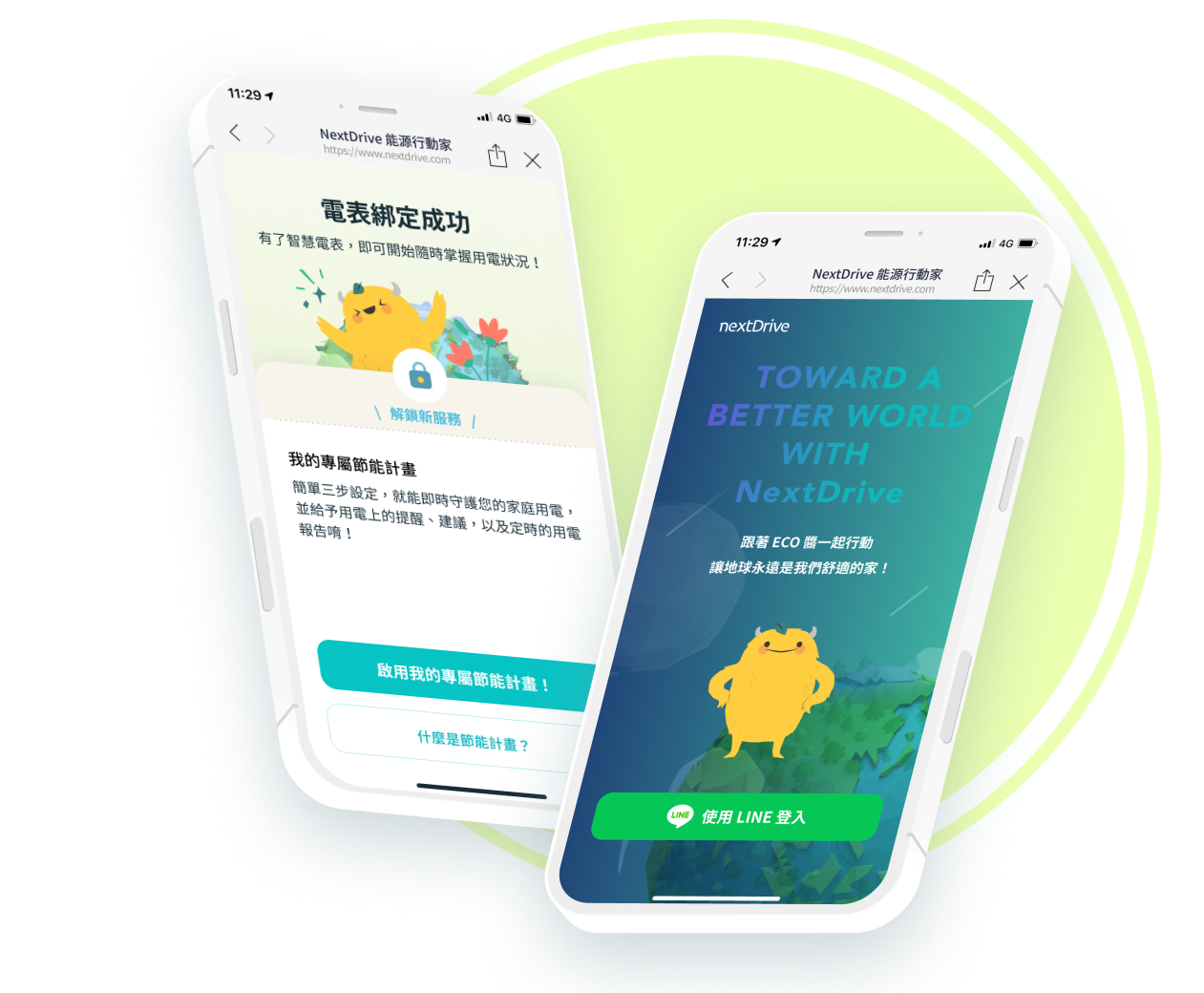
Real-Time household electricity reports, bill budget notifications, energy saving missions and more!

This section is a Symbol.
Edit it once, and watch it update across your site.
Like freaking magic.
This is an app that helps site survey engineers ensure the quality of received signal.
~3 min read time
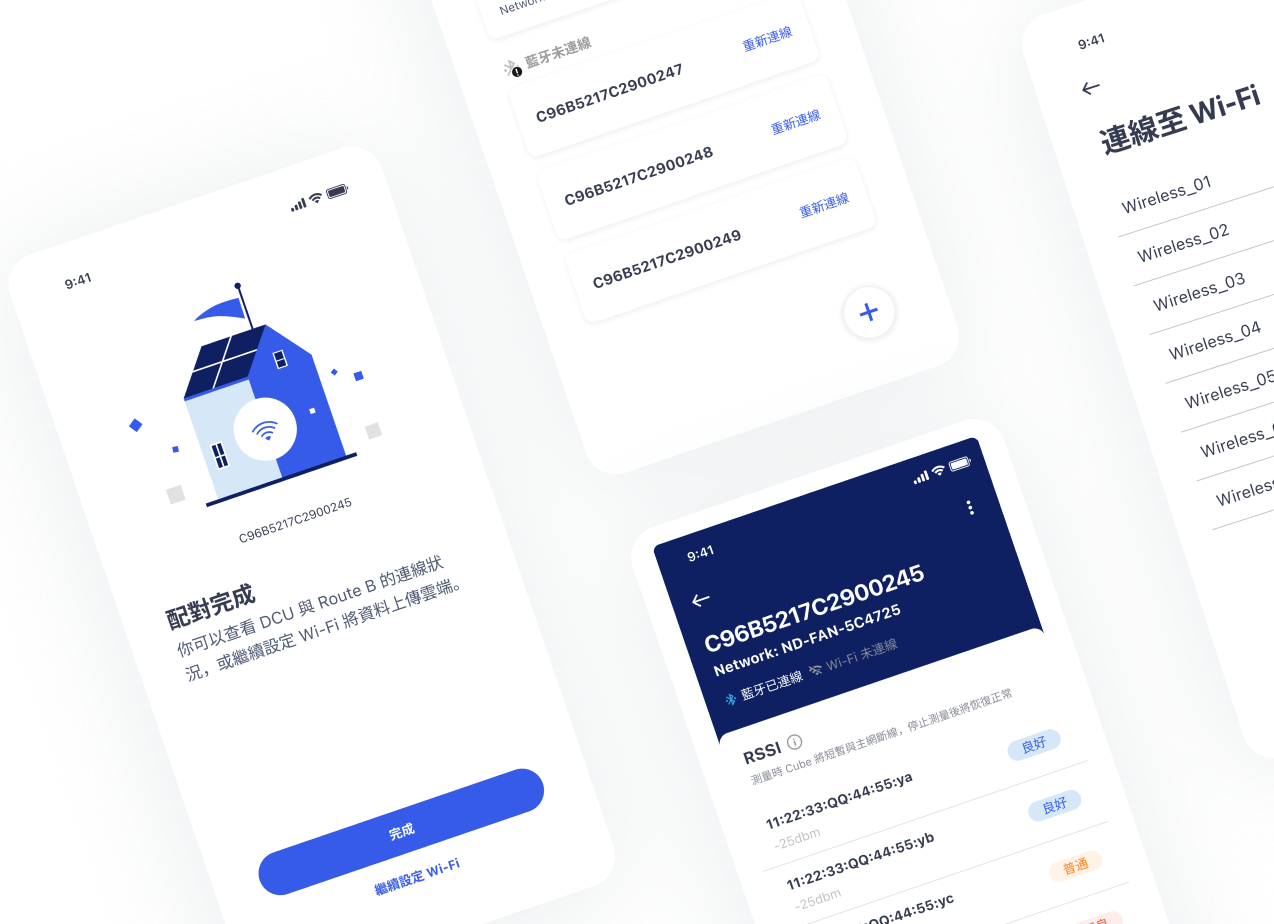
HEMS field deployment for DCU (Data Concentrator Unit) and Route B* requires a significant amount of installation, testing time, and manpower. Therefore, we are looking to outsource this work to other teams in order to reduce our operational costs. We plan to provide a comprehensive deployment manual, SOP, and deployment tool (App), and offer OEM certification through our training and examination for our official partners.
*The connection between smart meters and power companies is referred to as "Route A," which extends from the meter side to the utility side. The connection from the meter side to the household side is known as "Route B," linking the supply side and the demand side.
In the past, workers have to go through complicated SOP, switching between different tools in order to complete the installation of Route B. After understanding the work flow of the site survey engineers, we organized 3 main functions that will make their work more smooth and easier.
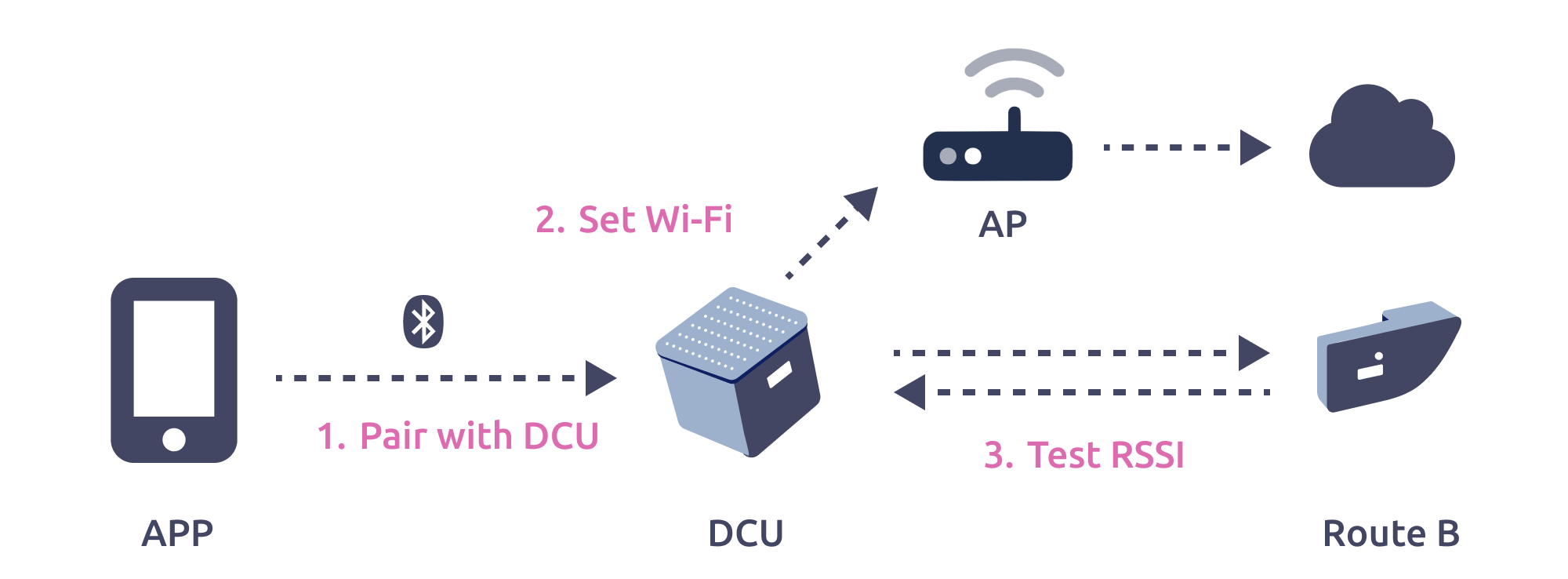
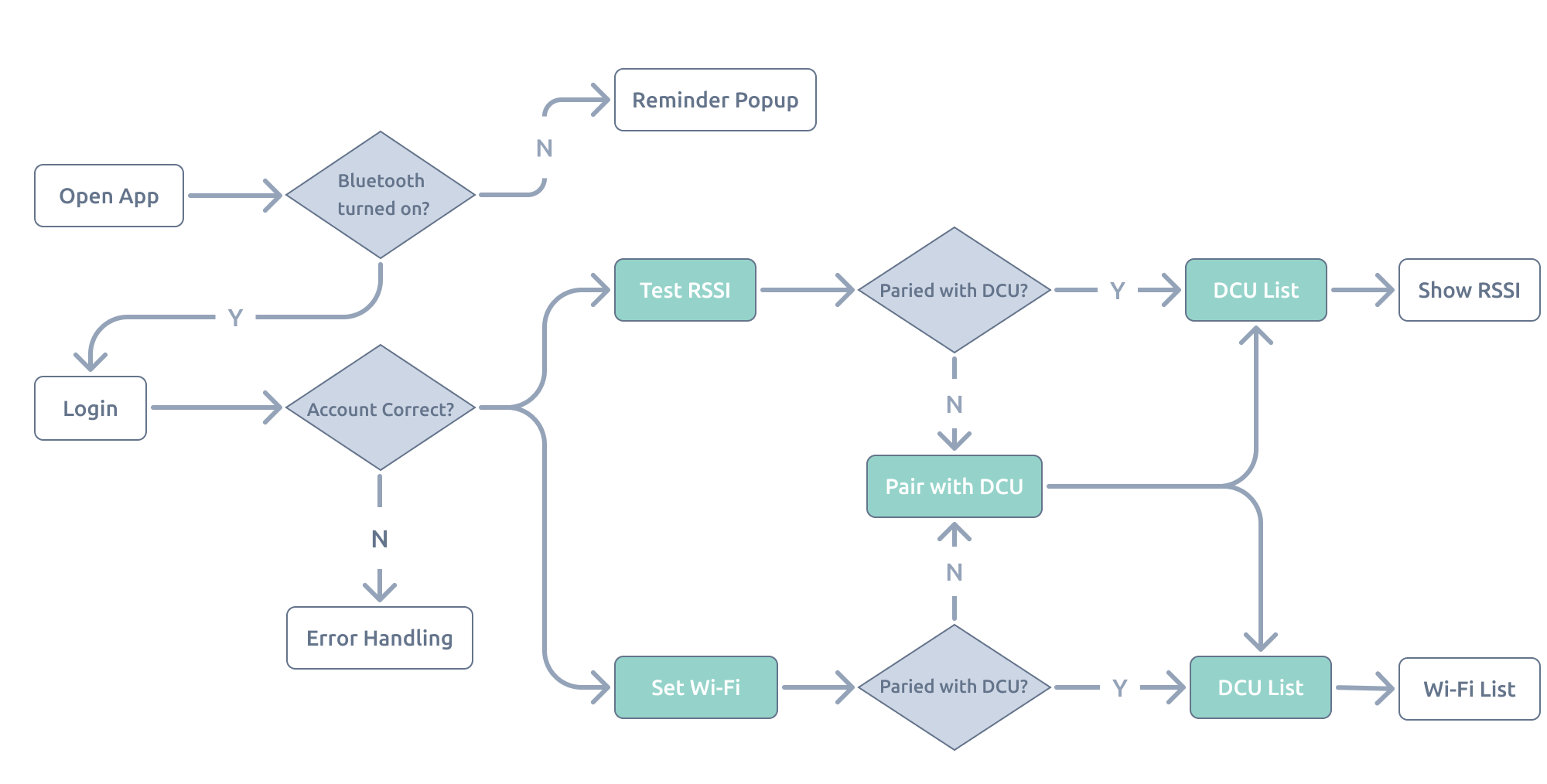
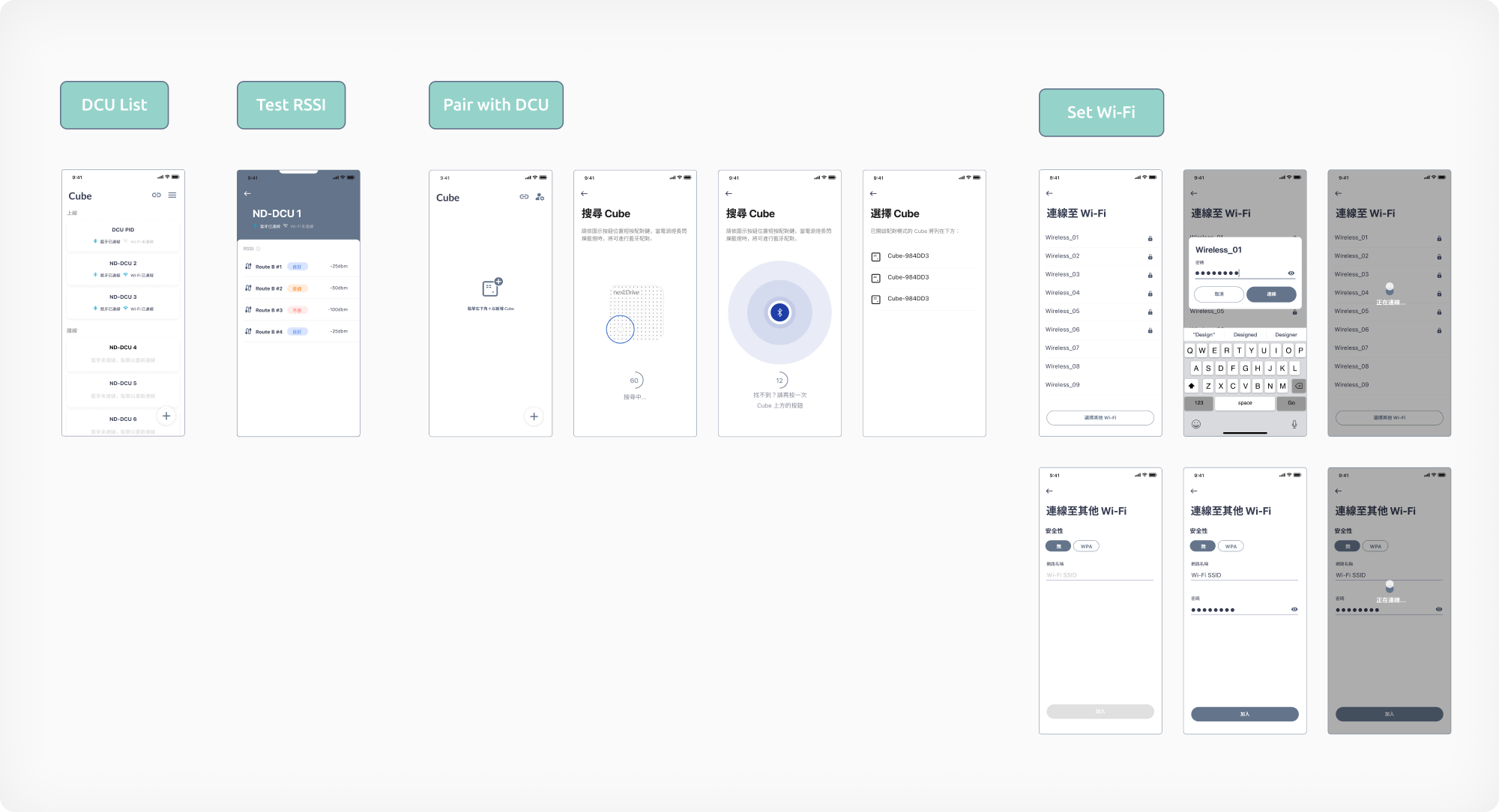
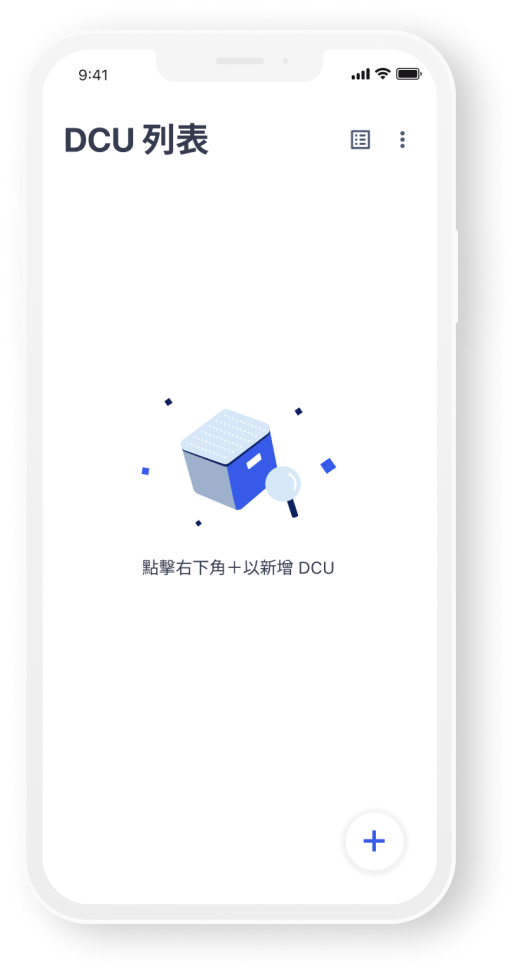
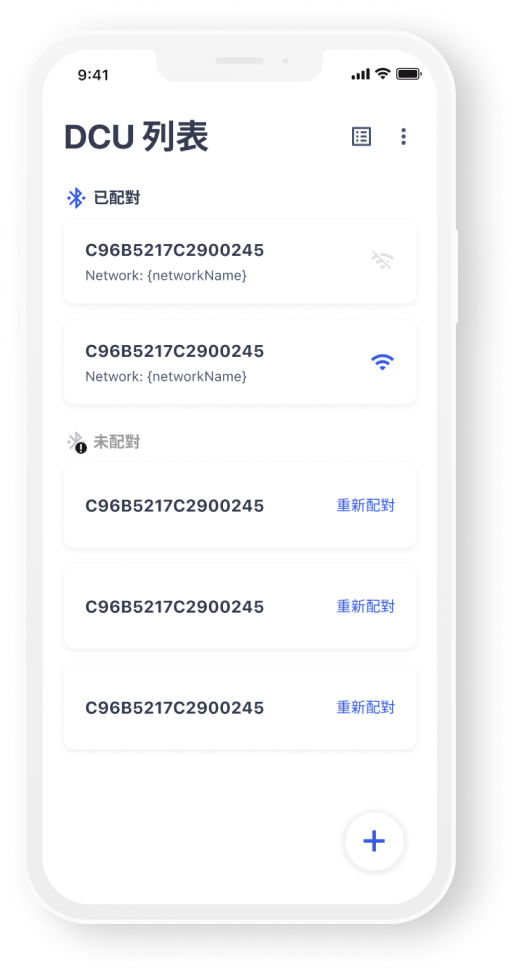
In the past, workers have to go through complicated SOP, switching between different tools in order to complete the installation of Route B.
After understanding the work flow of the site survey engineers, we organized 3 main functions that will make their work more smooth and easier.
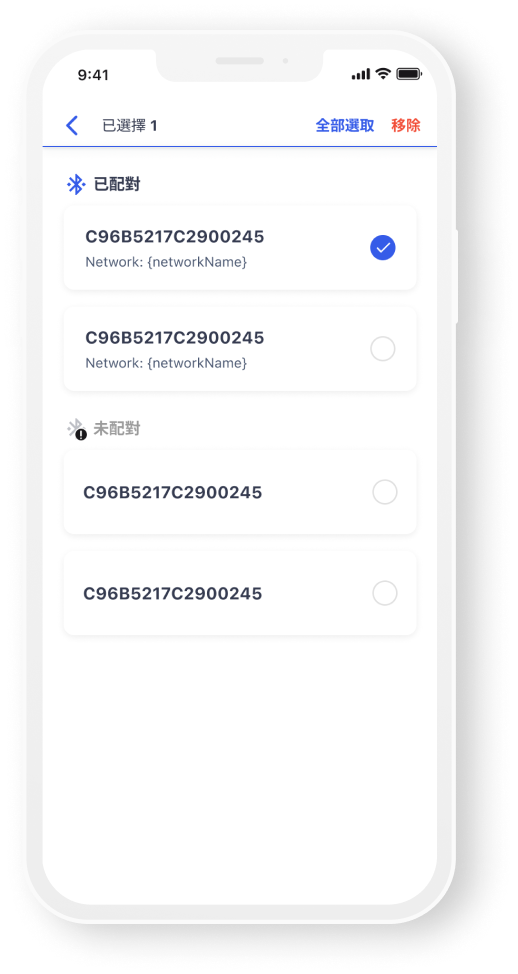
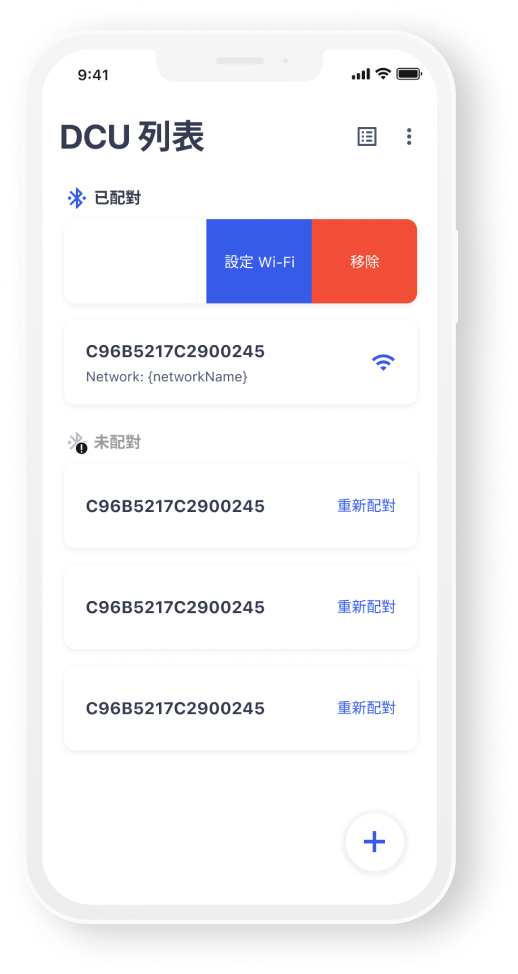
From an unmonitored interview, a site engineer complained that they used to waste a lot of time removing multiple DCUs because once they installed the devices, they are no longer needed.
As a result, I suggested a function where users can remove unwanted DCUs with just one easy swipe. Moreover, multi-selection is also available for users who pursue higher efficiency.
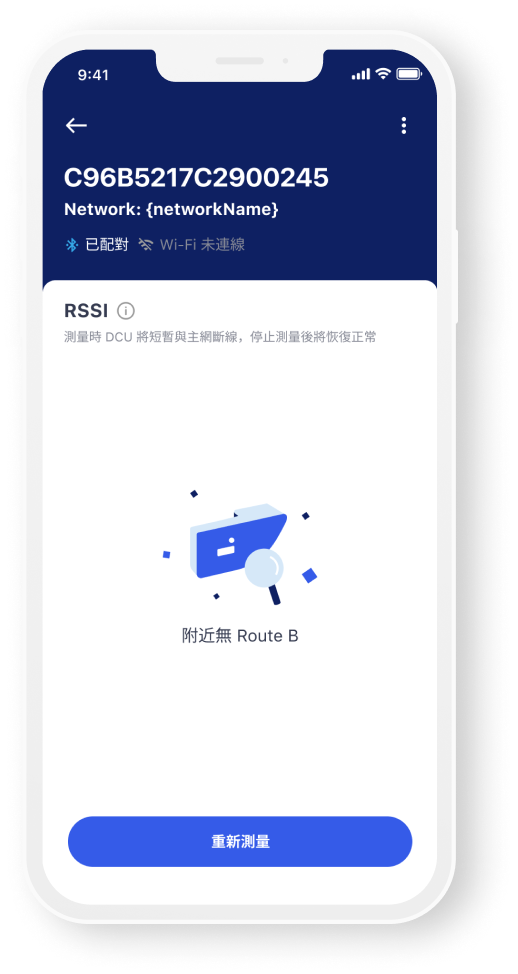
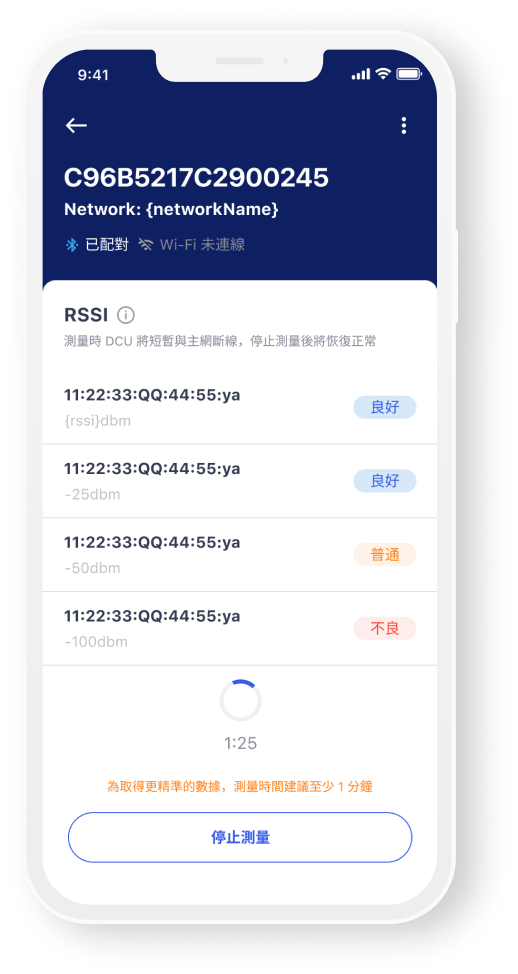
The system will automatically test the received signal strength once users entered this page.
Testing results will be categorized into 3 levels: “Strong”, “Normal”, and “Weak”, which helps users immediately identify poor signal and adjust the location of the installation.
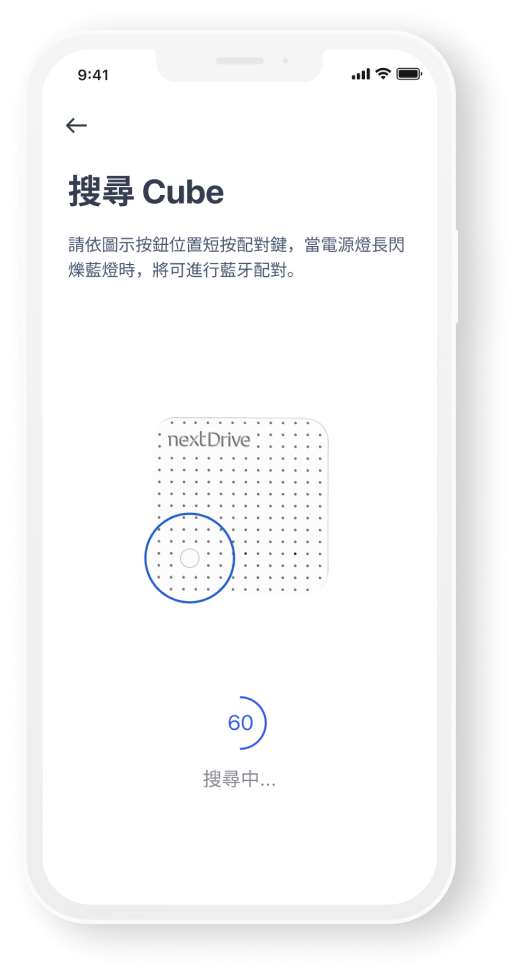
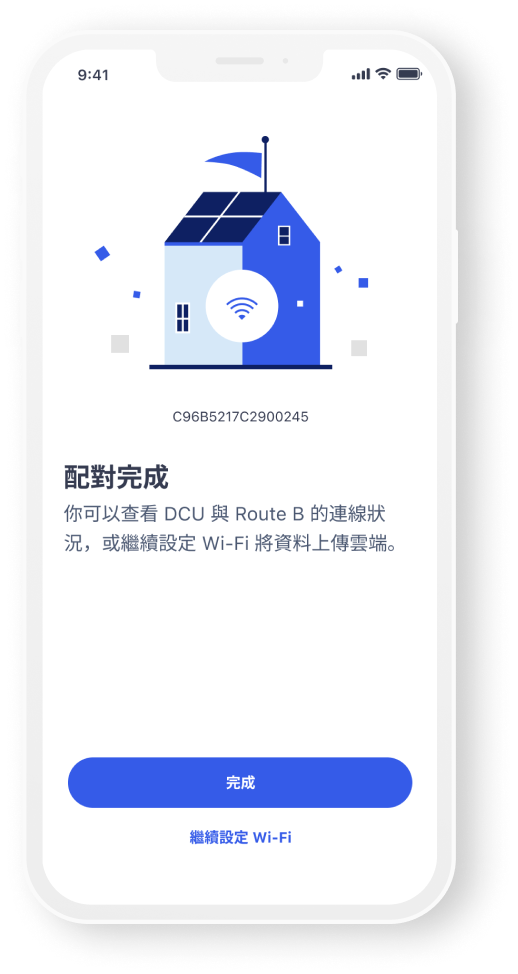
For users who haven’t paired any DCUs, we provide animated instructions and step-by-step tutorial to guide them successfully set up their devices.
Style Guide