Project Overview
Team consists of 2 UX/UI designers / 1 UX writer / 4 developers / 2 quality assurance engineers / 1 product owner
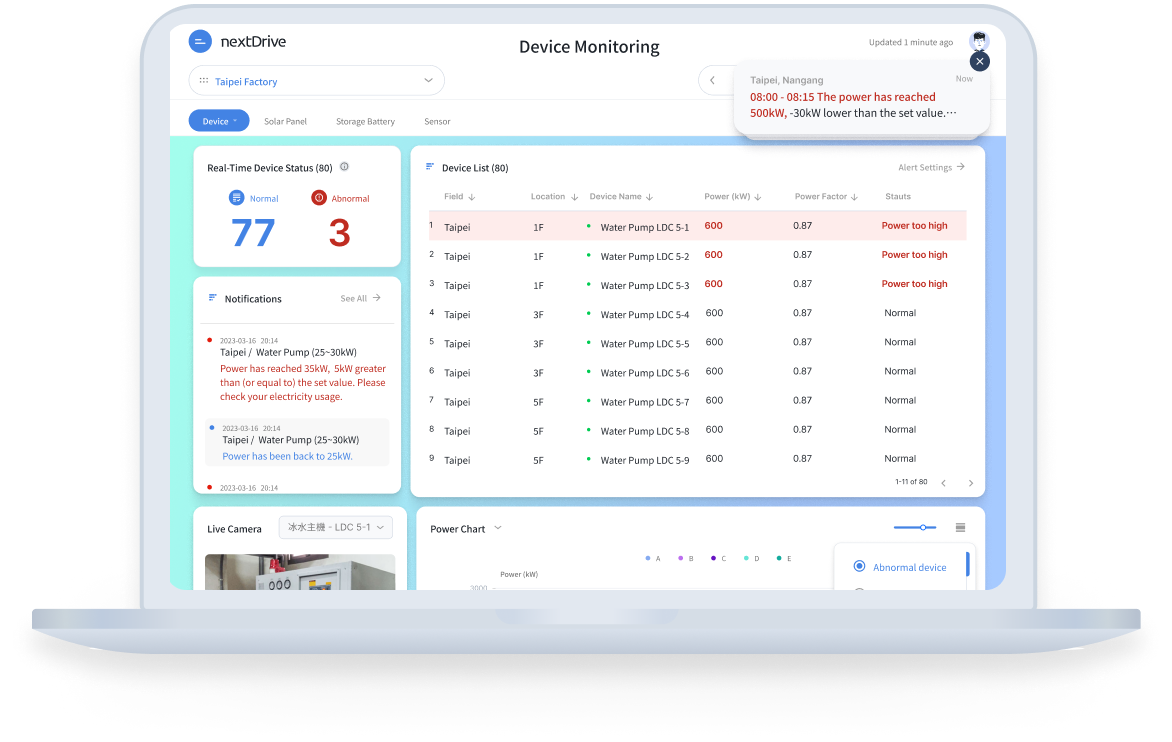
“CEMS” , also known as “Community Energy Management System”, aims to present and monitor real-time electricity data for enterprises that are struggling to manage their bills or adopting green energy generation/storage in their production process. My role in this project is a UI/UX designer for two of the main functions: download data & alert settings, which I will focus on introducing later. I am also in charge of all the UX writing, including English & Chinese strings, throughout the entire project.
Define
Background
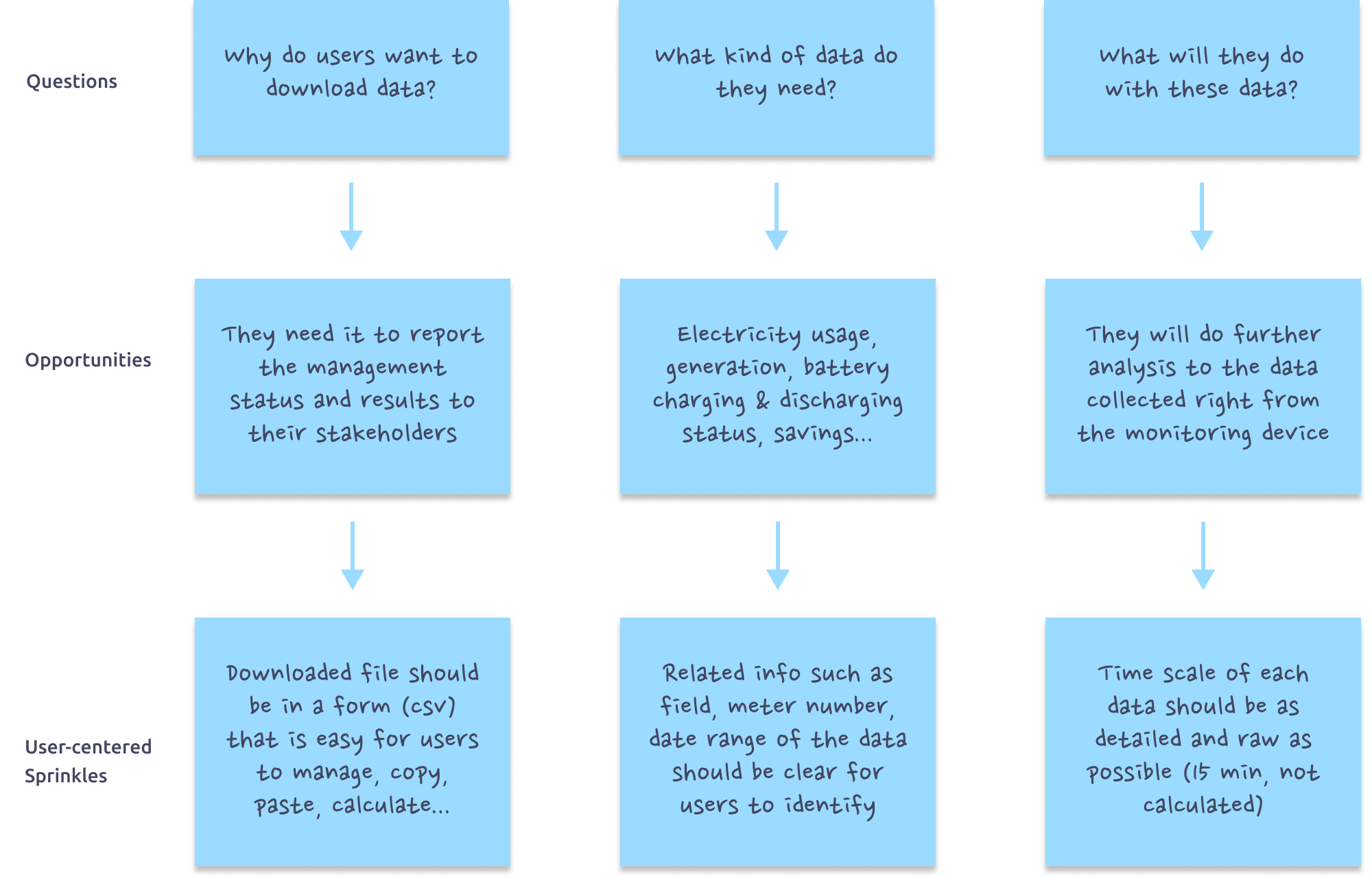
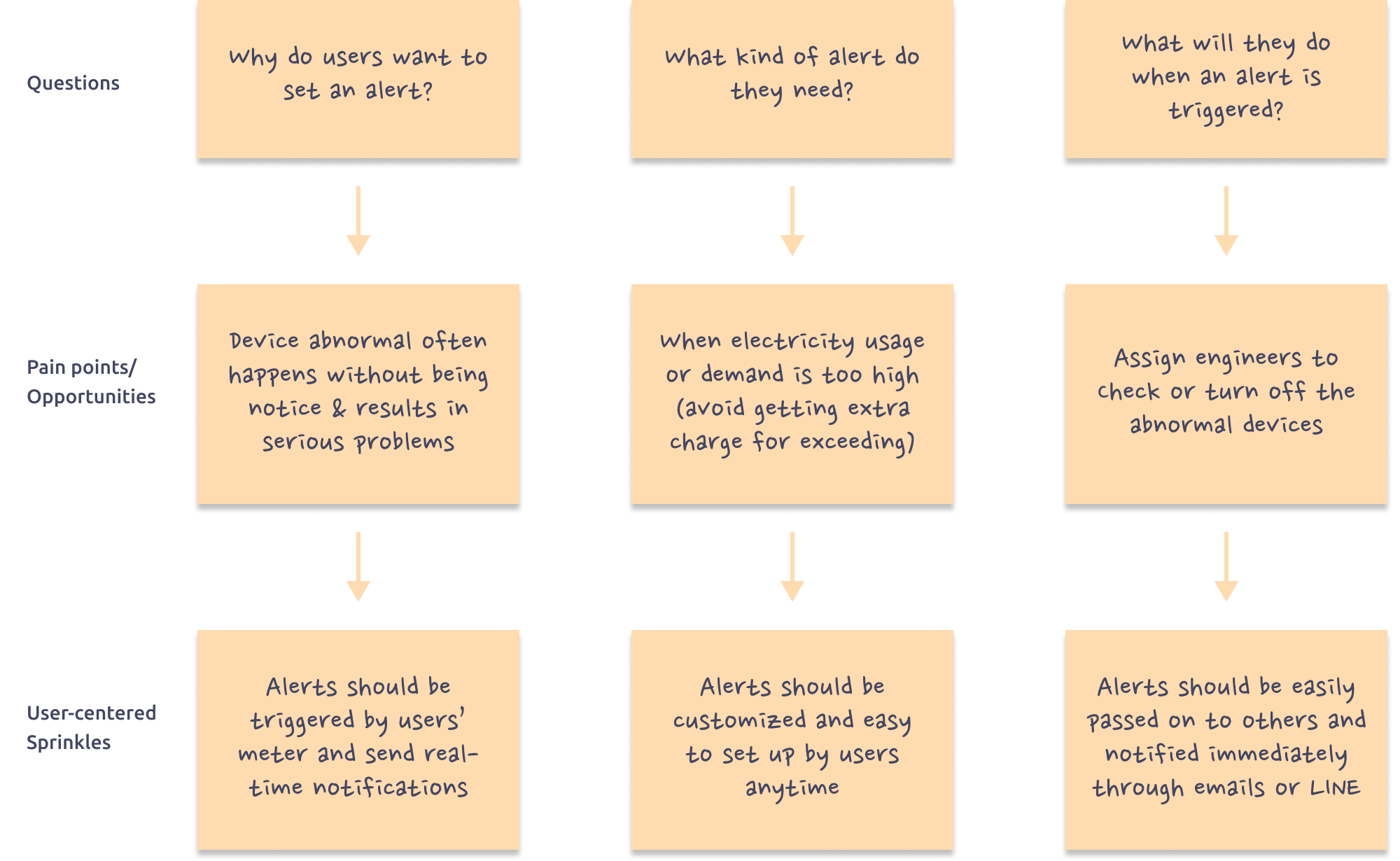
Since this is a B2B product, our product owner and sales often receive direct feedback from our customers and passed down the message to our scrum team. After the product’s first launch for data visualization, our customers soon requested for a few extra functions. Before jumping right into the design, we decided to dig out the real reasons, pain points and opportunities behind their requests first.
Download Data
Alert Settings
Ideate & Validate
Download Data
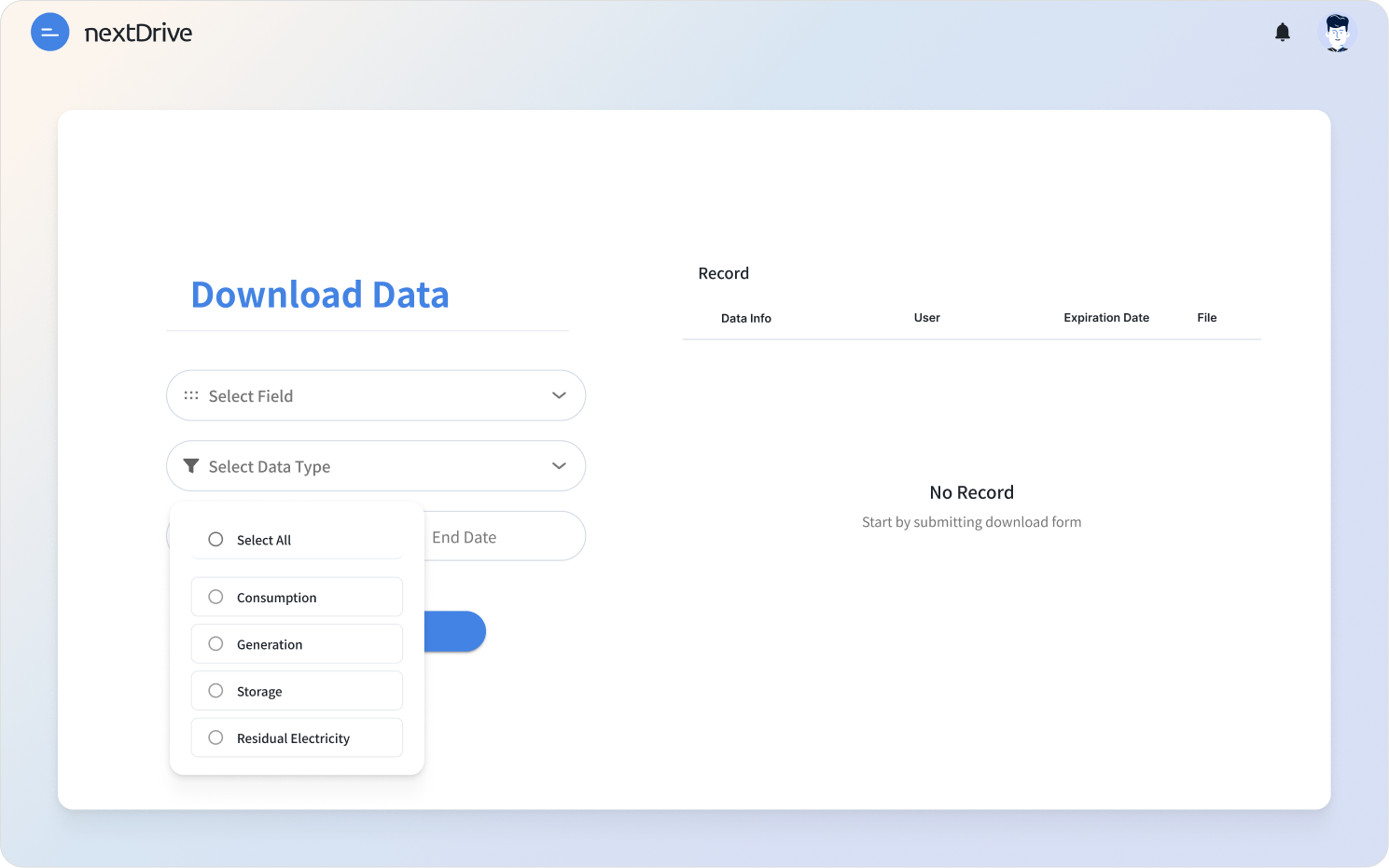
To make downloading data as intuitive as possible, I hope users are able to see exactly what they get. The column on the left could help users filter out tons of data by field (the location), data type, and date range.
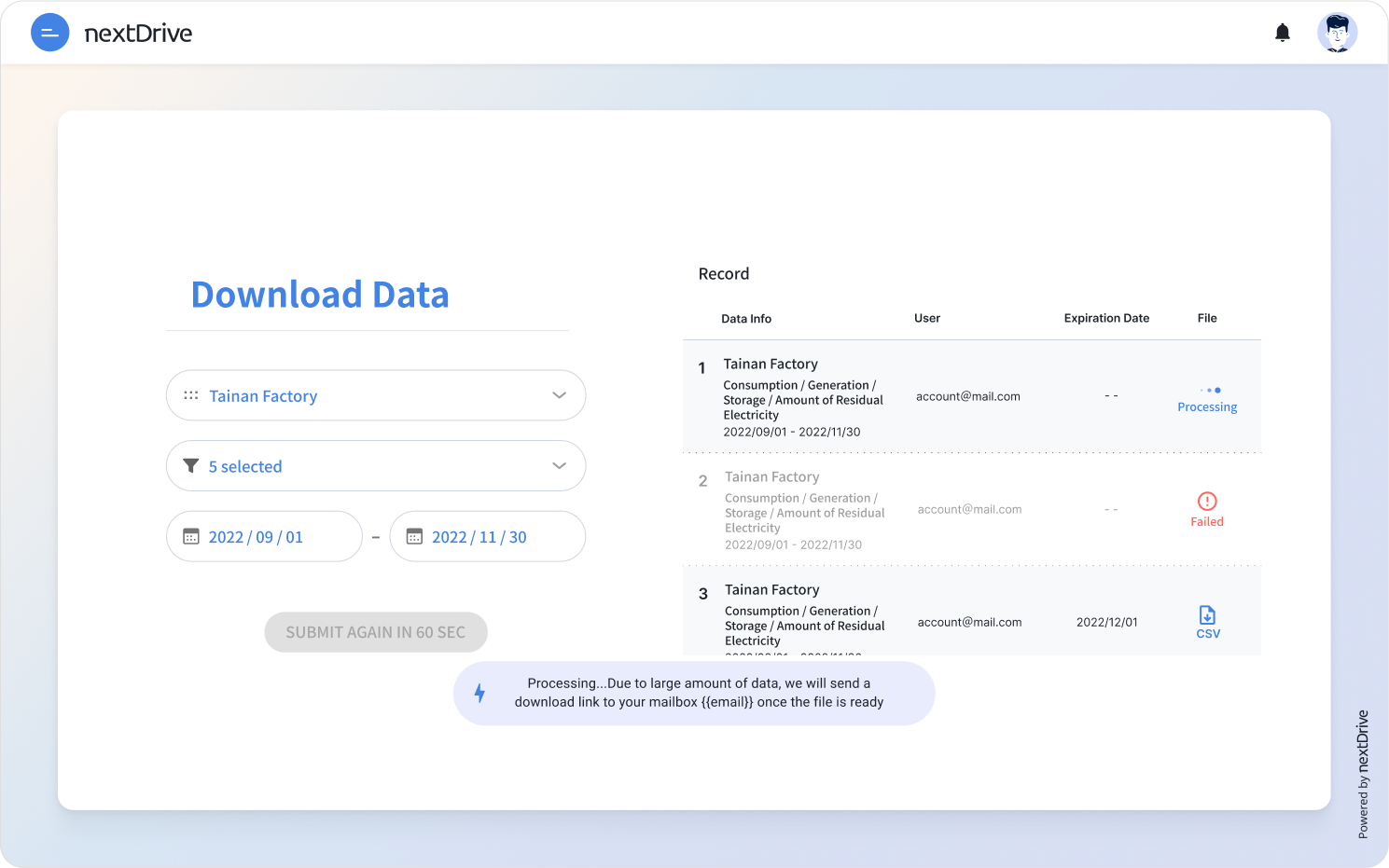
As soon as the user submit the request, the result will appear on "Record" section on the right column.
During our testing, we found some edge cases when users select a wider range of data or date, file process time might increase to more than 5 minutes. Therefore, I designed a toast to remind our users to check email when the file is ready. This way, users won't have stay online and wait for so long.
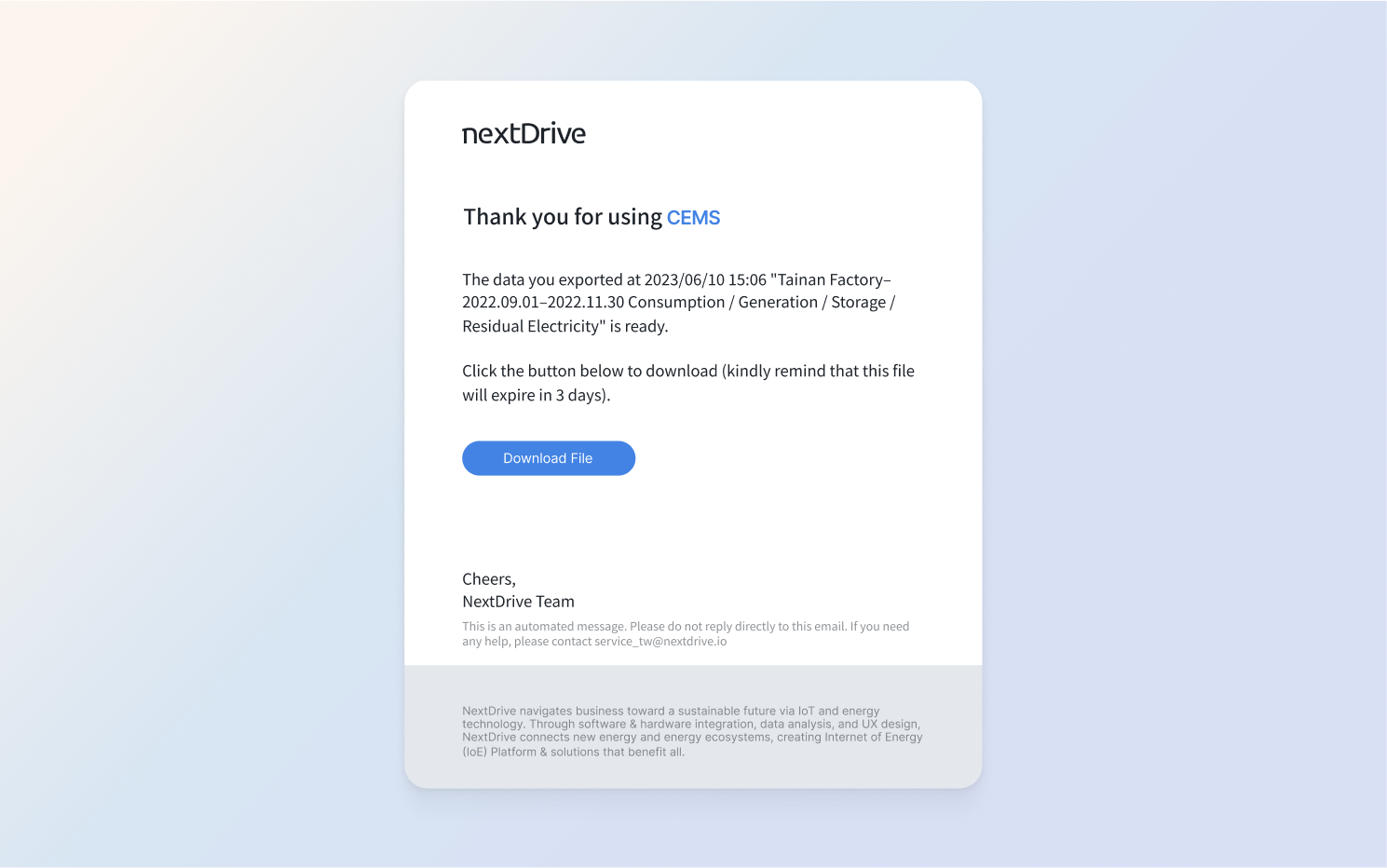
After the file is ready, users will receive an email with the file download link and come back at their convenience!
Alert Settings
[ Version 1 ]
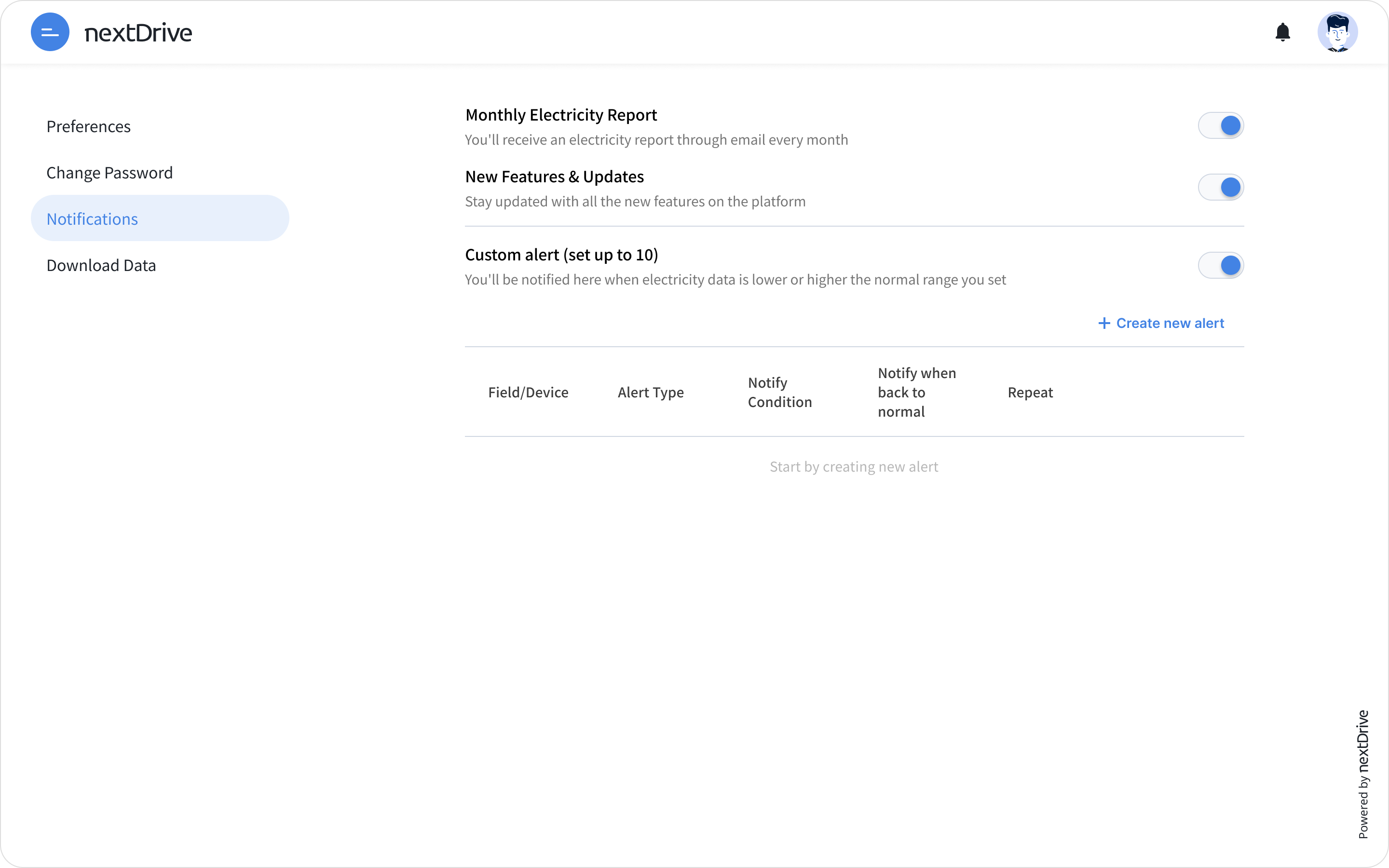
In the first draft, I thought maybe sending a pre-organized report and new updates on our site directly to our customer would be helpful. I also added toggles for users to customize what kind of information they would like to receive.
[ Version 2]
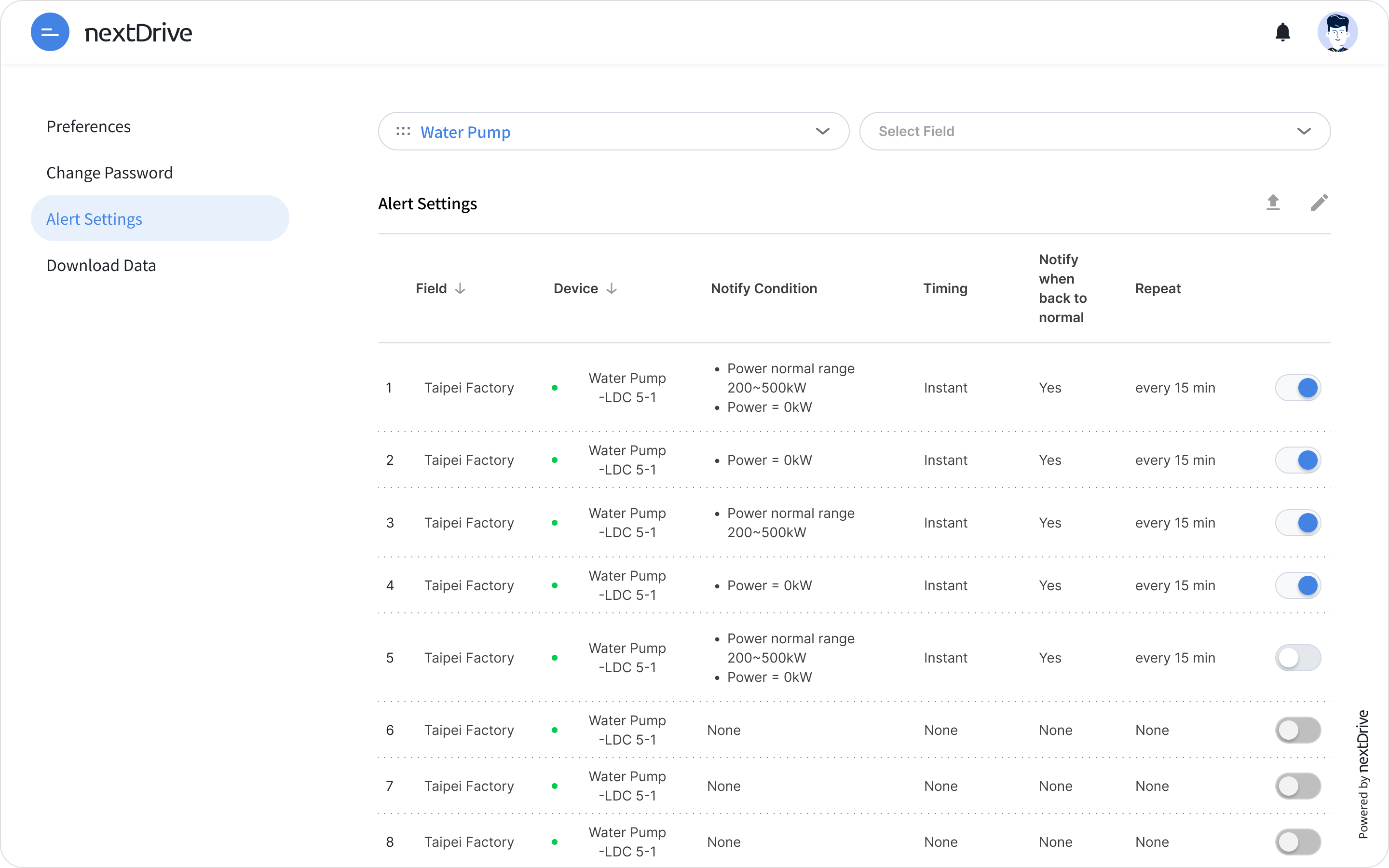
However, after discussing with other designers and product owner, we found that we might not have enough resources to fulfill the previous design. Therefore, we turned to focus on solving the existing pain point first, which is notifying users about their device abnormal status.
One of our customers has a huge factory with more than 80 devices/equipment. As a result, I added a filter at the top to make the list easier to manage. Besides, batch uploading is also available for users to manage all devices together.
[ Version 3]
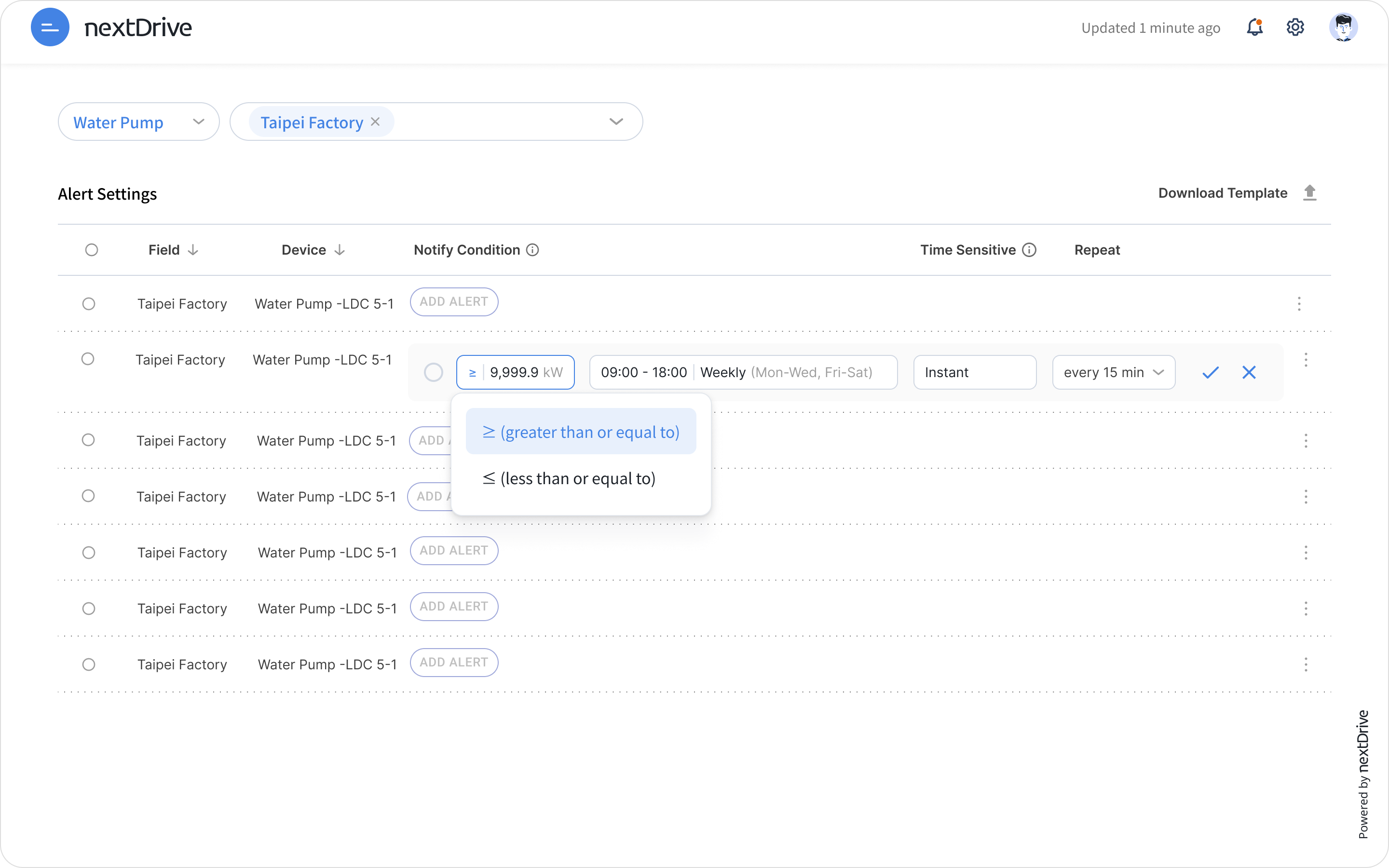
With further discussion and in-house testing, we decided to simplify our design even more to make the setup flow as intuitive as possible.
Users do not have to enter a separate page to create or edit alerts. They simply just need to click the ellipsis menu on the right of every row to enter edit mode, and click the check to exit.